
Organize your personal finance
Improve your financial health by categorizing and budgeting your income and expenses. Spendle helps you to gain better insight and take more control over your personal finance in just 30 minutes.
Make better financial decisions
Income and expenses are increasingly assigned automatically while using Spendle. Once categorized and budgeted, you can focus on managing your personal finances, finding key answers to questions like:
This insight provides you with more control over your finances both now and in the future, helping you identify savings and make better financial decisions.
Budget your monthly income and expenses
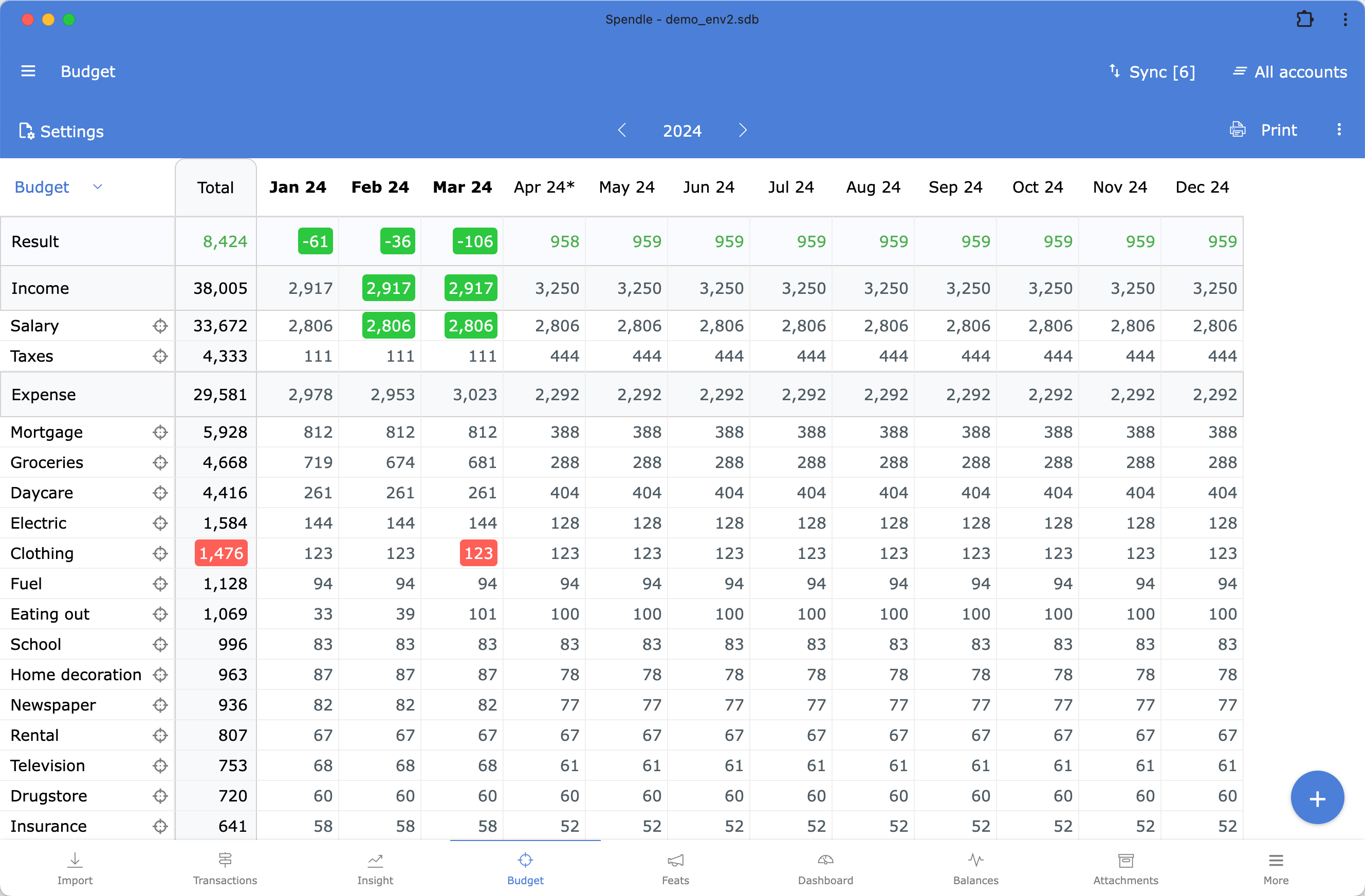
Create or generate a budget for your monthly income and expenses. With a budget, you can make a plan, set goals, and check at any time whether your income and expenses are within the budget. Creating a budget will help you become much more conscious about your finances.






Bank synchronization
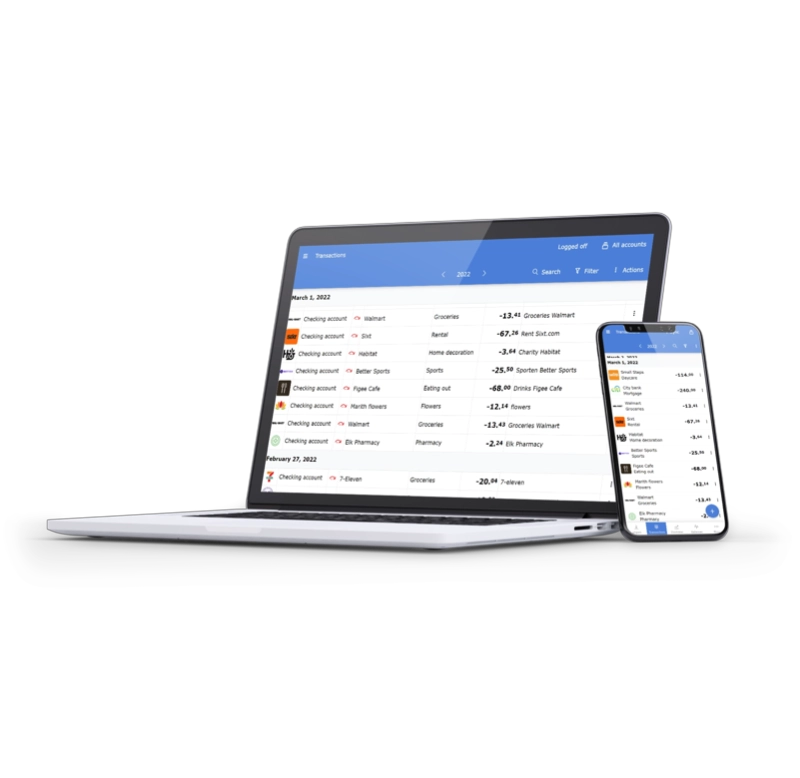
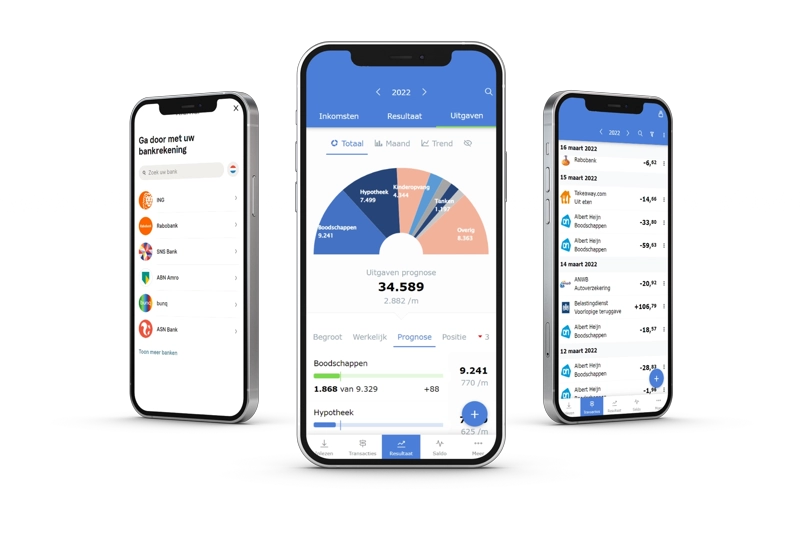
Spendle integrates with over 15,000 banks through a secure PSD2 connection. Additionally, you have the flexibility to manually input transactions or import your bank statements in Excel, CSV, or OFX formats.





All in one place
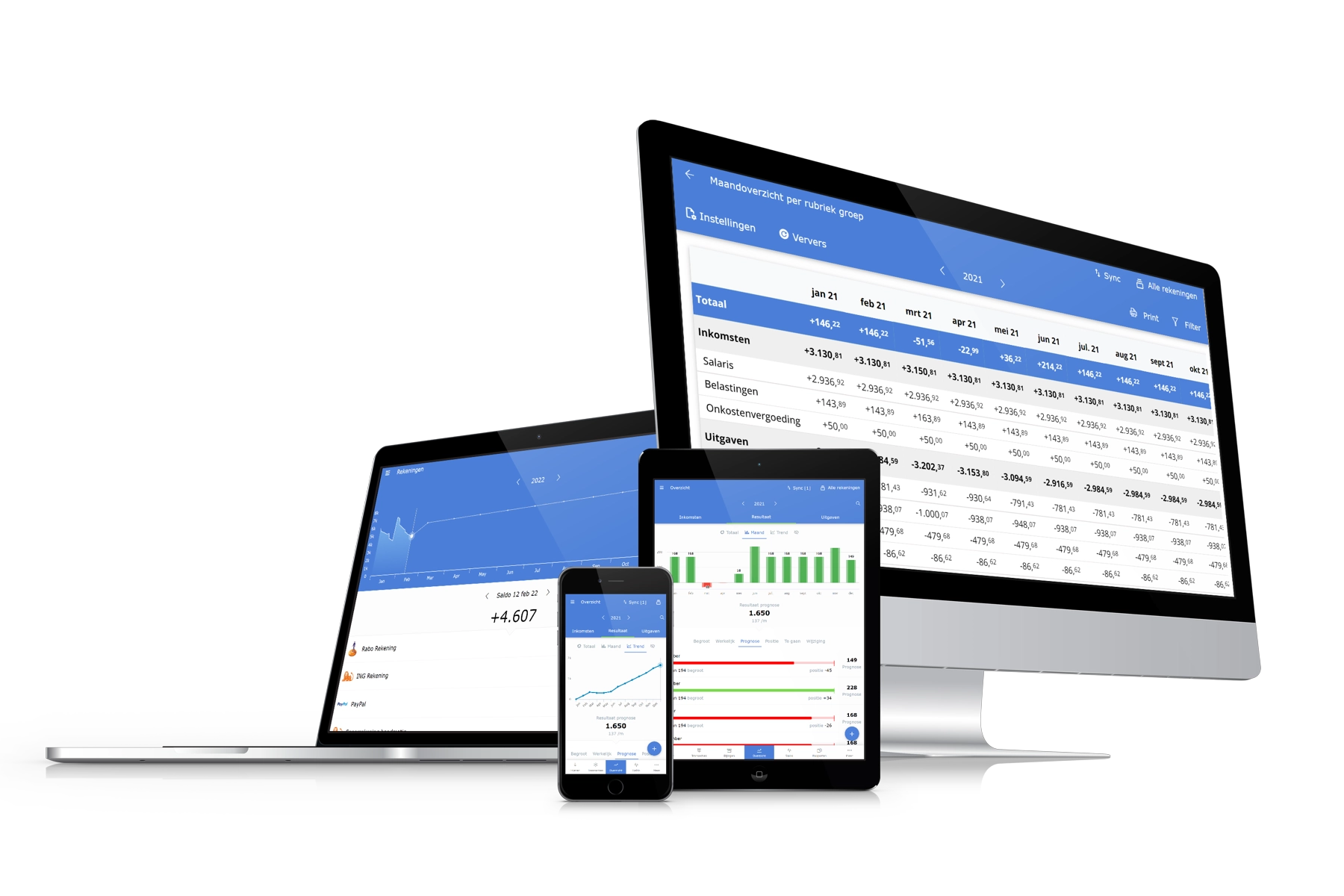
Spendle is a cross-platform app which allows you to work seamlessly on your PC, tablet and phone. Just synchronize your data across your devices and have your personal finances accessible anytime, anywhere.
Features
Spendle includes all the features you would expect from a modern personal finance app and more! Click or swipe through all the possibilities.
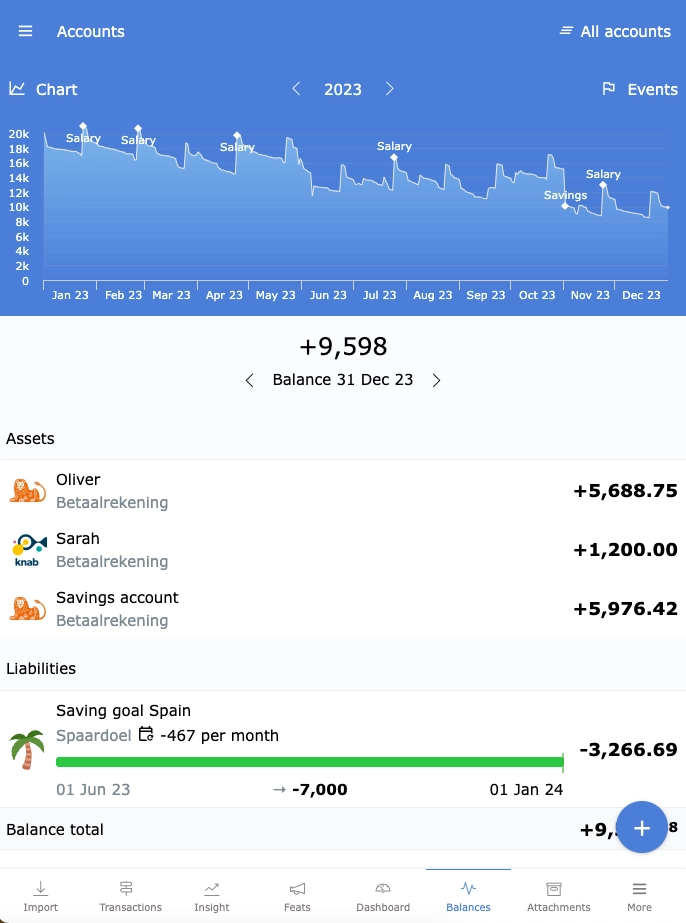
All in 1 place
Manage all your different bank accounts in 1 financial app on every device.
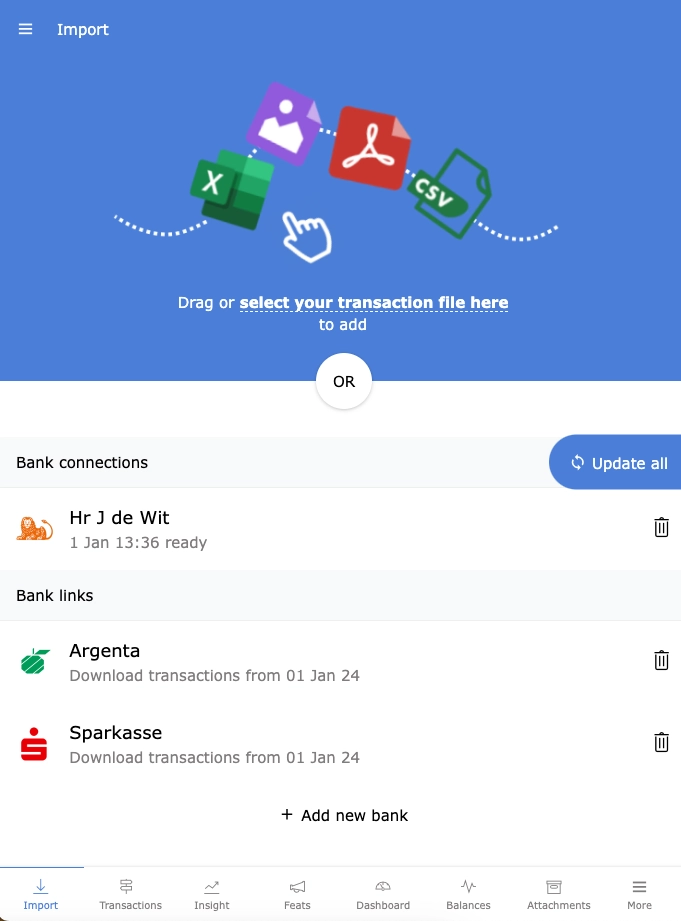
PSD2 bank synchronization
Spendle integrates with over 15,000 banks through a secure PSD2 connection or import your bank statements in Excel, CSV or OFX format.
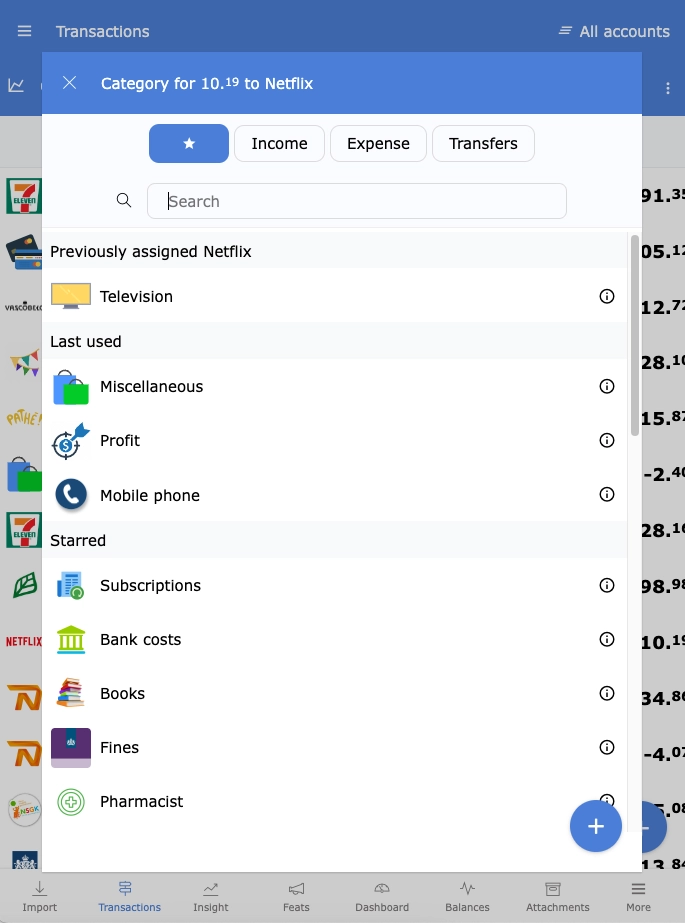
Assign categories automatically
Automatically assign a category to your transactions, get a better understanding of your Spending behaviour and identify your unnecessary expenses.
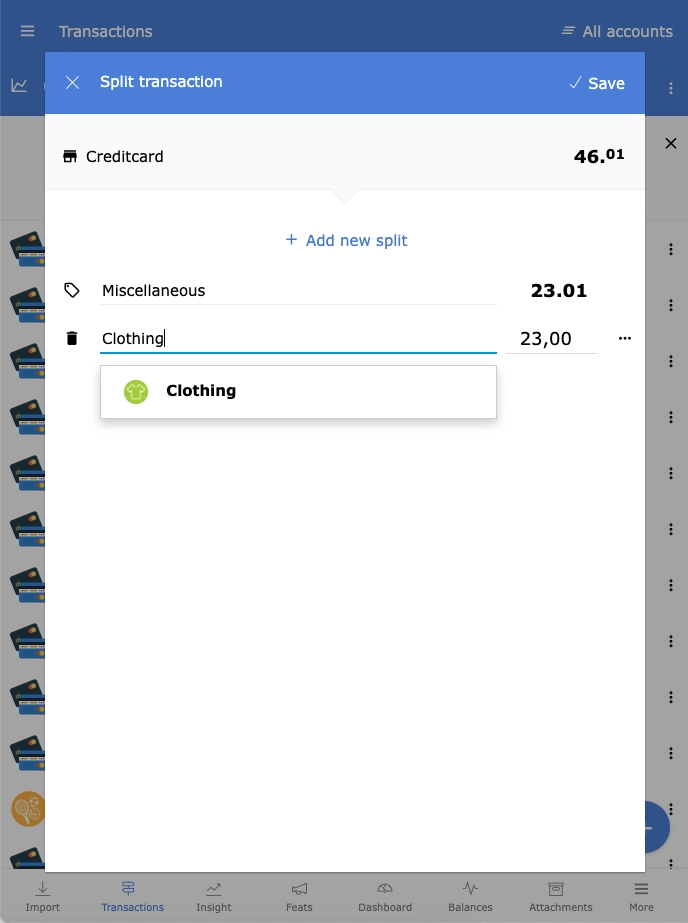
Split transactions
Split a transaction into different categories and create a rule to split transactions automatically in the future.
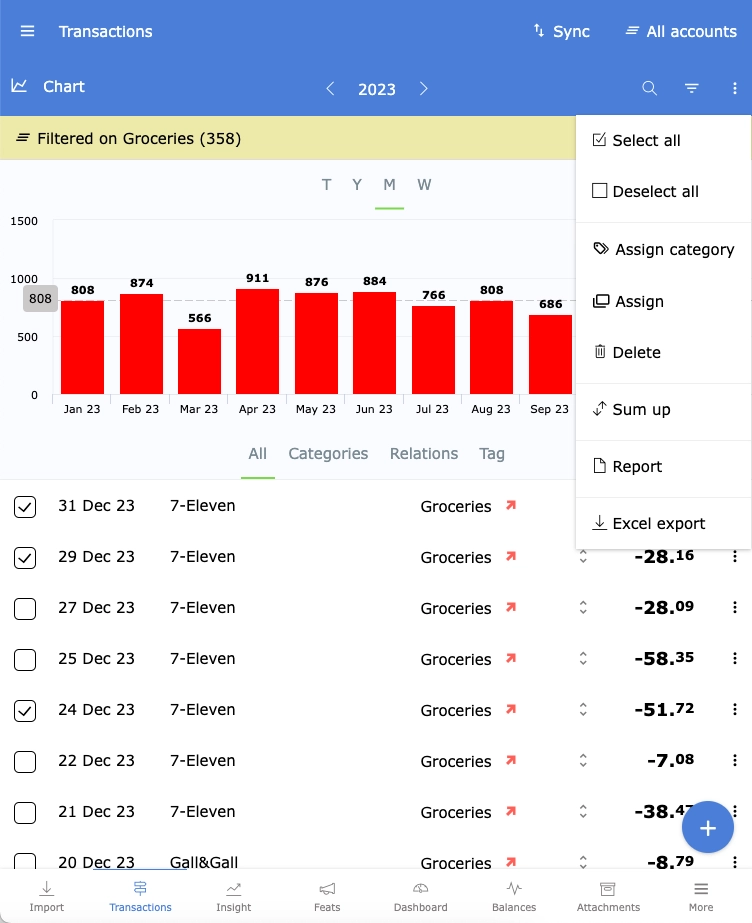
Search, filter and export to Excel
Search, filter, update, visualize and export your transactions to Excel.
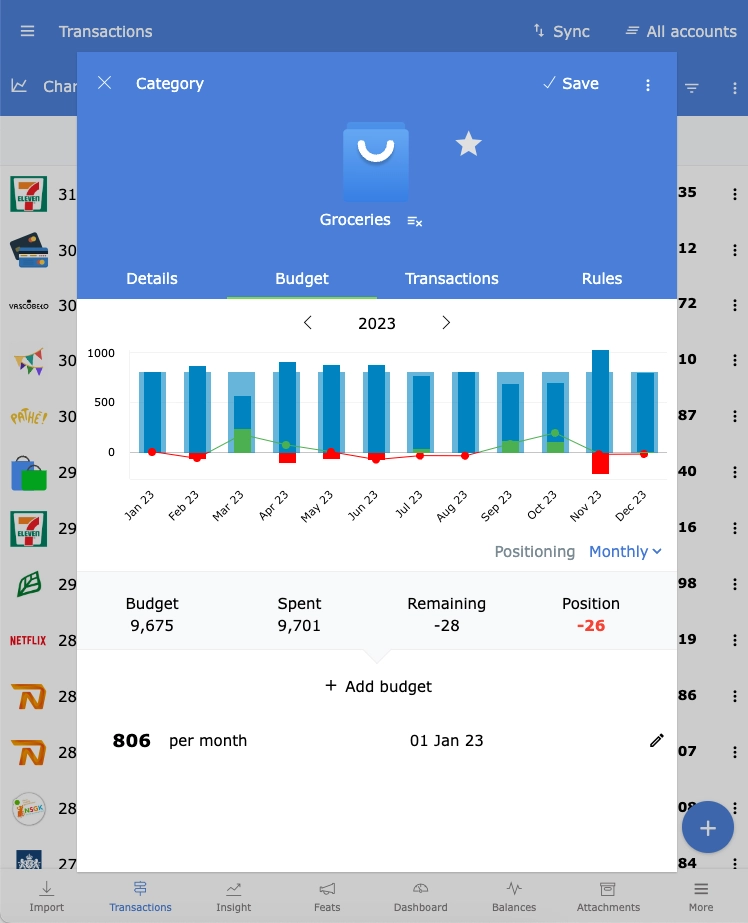
Create and track budgets
Assign a budget to a category to monitor your budget position. Assign a budget to all categories for a detailed projection of what's left at the end of the year.
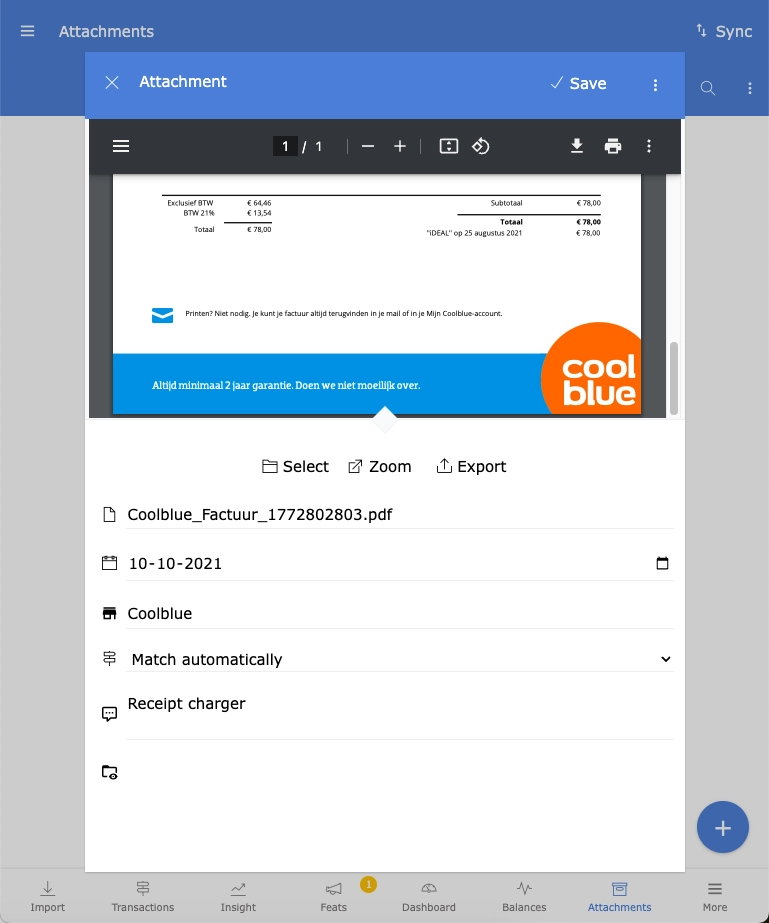
Store digital receipts
Save a photo of a receipt or a PDF document received via email. With the Android and iOS app, you can share photos and documents with Spendle just like you would with WhatsApp or email.
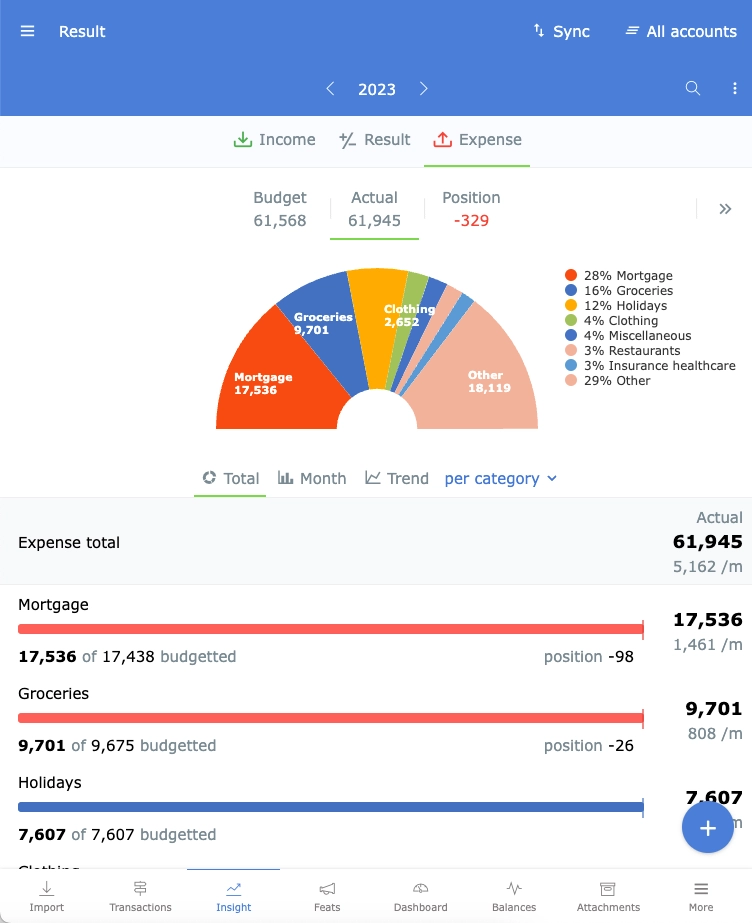
Insight
Browse through your income and spending patterns using the Insight tab. Group and filter by category, group, or month to view your income and expenses from all perspectives.
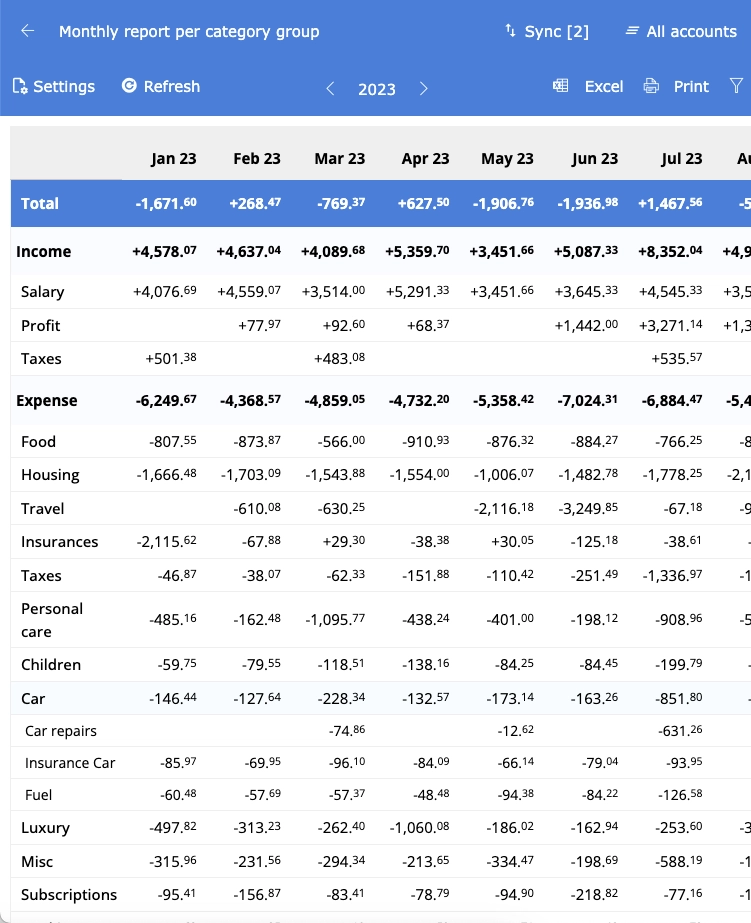
Extensive reporting
Create various summary, budget, transaction, and cashflow reports. Customize your own grouping, sorting, and filters, and drilldown to more details directly from your report. Save your report settings for later use. Print your reports on paper, PDF, or Excel.
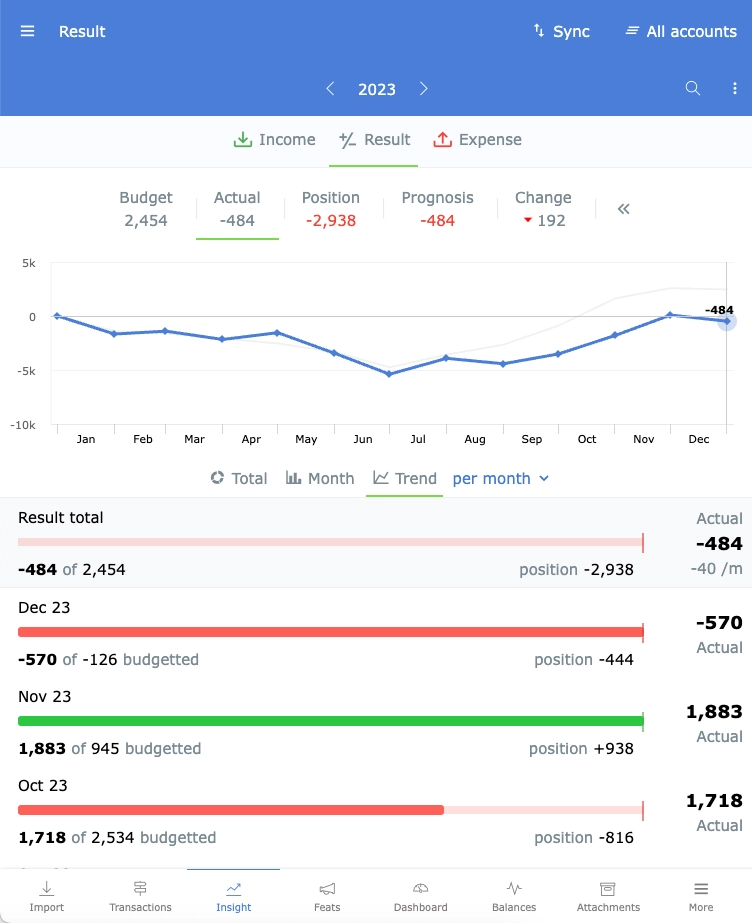
Forecasting
Unique to Spendle is the ability to use your budget as a forecast. Assign a budget to all your income and expense categories, activate the forecast mode, and see how your financial situation develops in the future.
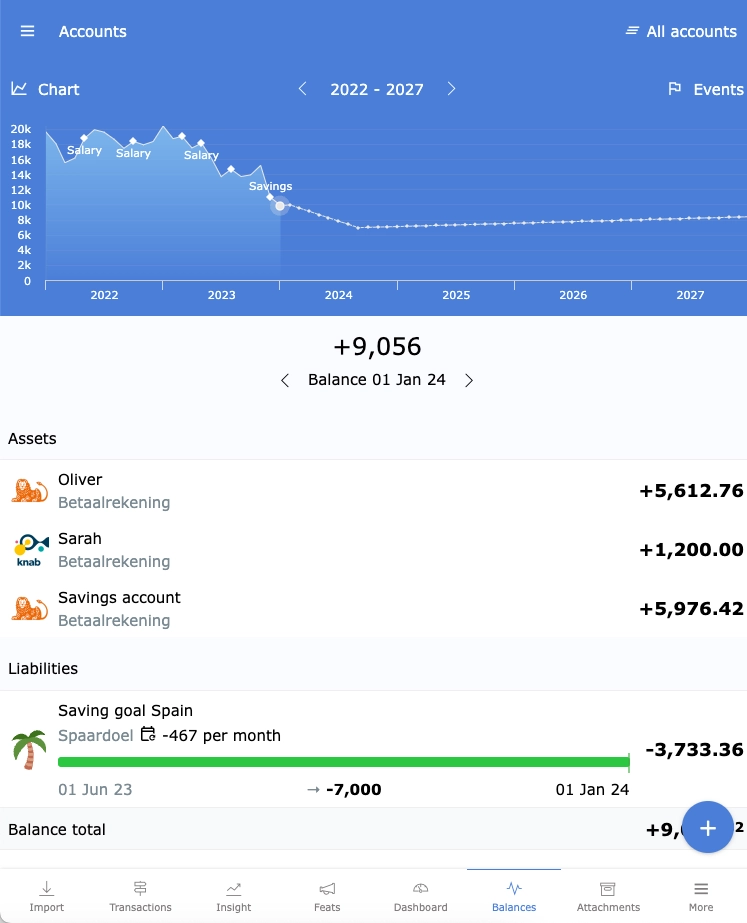
Personal wealth planner
Add all your accounts, debts and savings goals to Spendle for a single overview and projection of your total personal wealth.
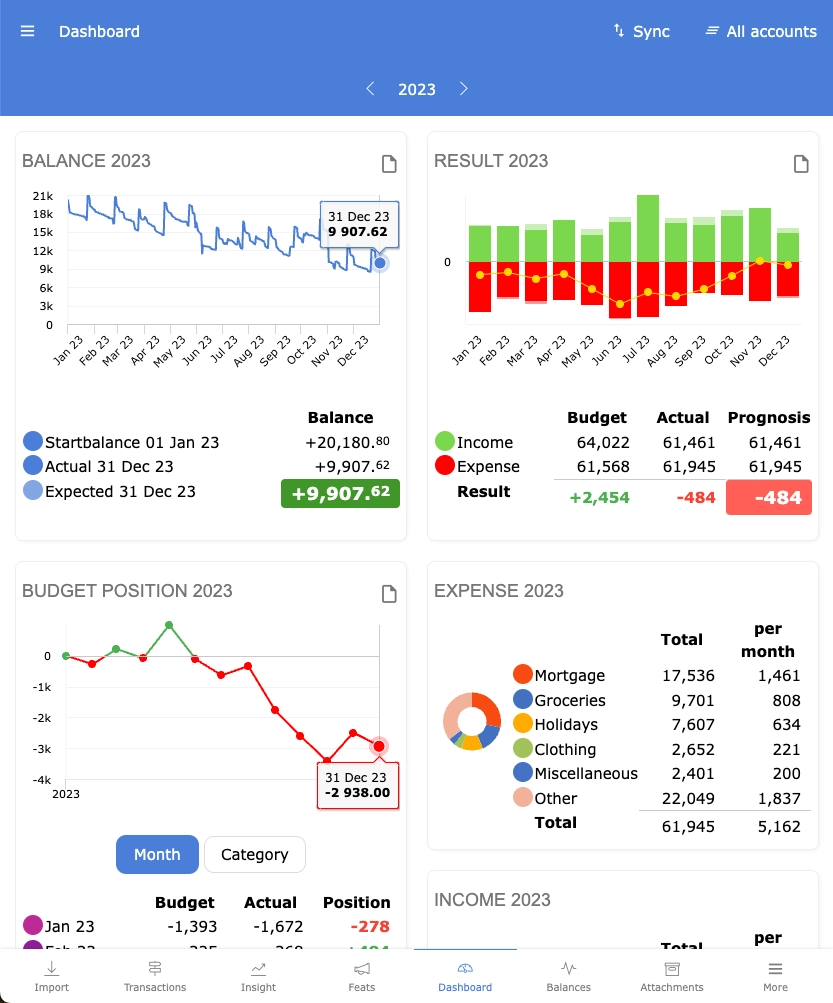
Personal financial dashboard
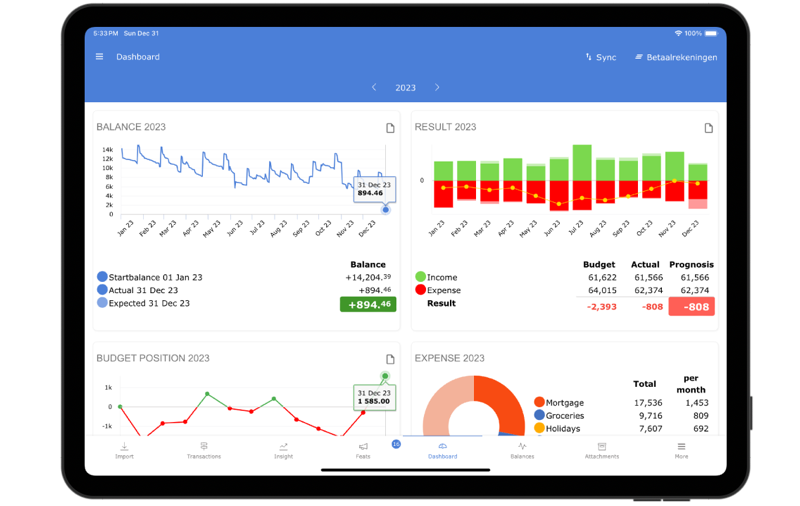
View all key indicators and trends in your personal finance dashboard. Once your administration is set up, the dashboard assists you in maintaining control over your personal finances.
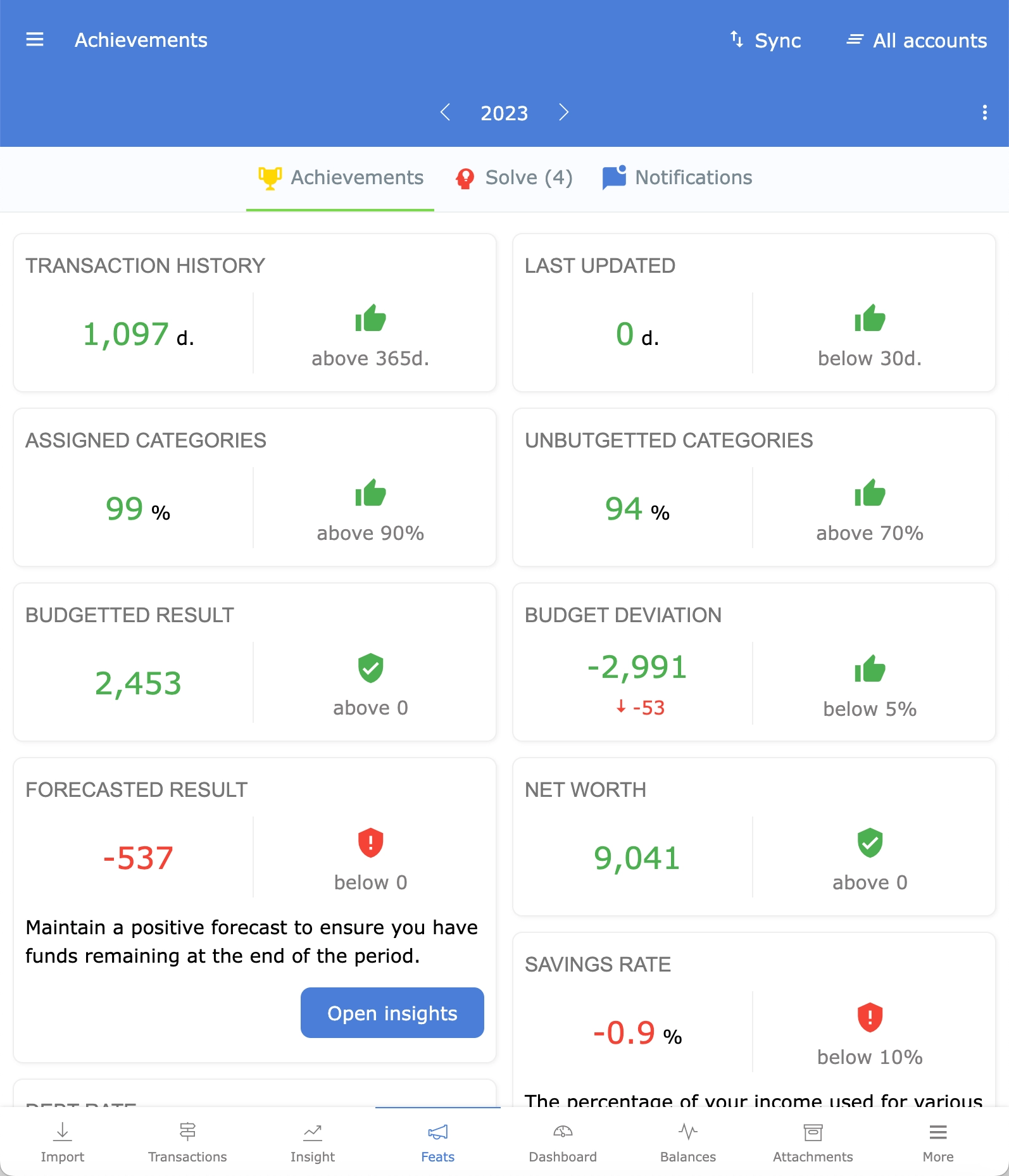
Earn achievements
Spendle achievements guides you step by step in improving your personal finances. You'll earn achievements by updating your transactions, categorizing them, budgeting, and maintaining the right balance between your income, expenses, balance, and debts. Notifications for changes in your achievements and budget overruns help you stay better informed.
Synchronize between devices
Update your administration on your PC or your app and effortlessly synchronize encrypted across all your devices via your Spendle account and Sync button.
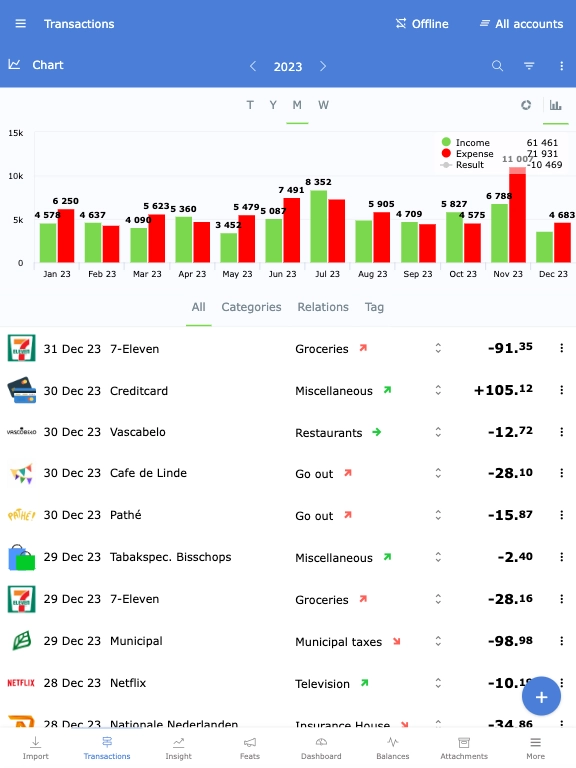
Offline first
With Spendle, you primarily work offline. Your administration is securely stored in your local browser database as a working file. For synchronizing between devices and updating your bank transactions you do need an internet connection.
Client side encrypted
Login and synchronize your data between your devices encrypted using your own administration password. With the Android or iOS app you can use Face ID or fingerprint biometrics to open your administration.
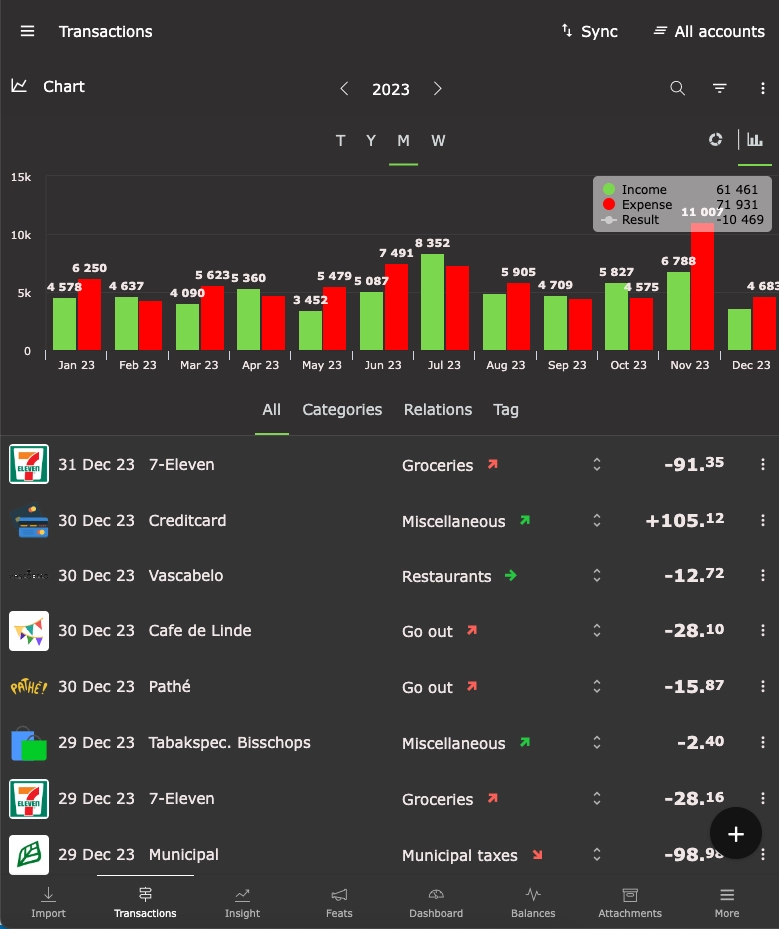
Adjustable theme
Switch between light, dark, or default themes through the settings menu and use Spendle in your favorite colors.
Testimonials
What others say about Spendle

We finally have more insight and control over our finances.
Read the full article by Janneke (Dutch) about Spendle, part of the nationwide 'New Year's Resolutions' campaign in the Telegraaf newspaper of December 29, 2023
From a satisfied user. Finally, a program that combines simplicity and clarity
Thank you for the extensive and pleasant support. It's really a great app, better than Grip and Dyme.
I have used many financial apps privately. Spendle seems to have quite a bit of potential. I have decided to stop the others and work with Spendle for at least 1 year. I hope that it becomes a lasting choice. Excellent!
I've been using Penningmeester for years, but Spendle is even better. So far, I am satisfied. Success for even more customers
I finally found an offline/online accounting tool that is compatible with multiple platforms, not just a smartphone app but also on PC. A tip for the developers: besides being able to search for images online, it would be great if manual uploads were possible. Additionally, having a template for importing Excel files, especially for banks that are not yet compatible, would be helpful, allowing for manual input in such cases.
Compliments to the Spendle app! Initially, I intended to use iBilly but stopped due to its very limited reporting and exporting capabilities. Spendle offers much better features in that regard.
After the demise of Grip, I spent some time searching for a worthy replacement. I came across this slightly less known app, and in my opinion, it's a top-notch product. It can do everything Grip could and much more :) Just a bit of a learning curve.
I've been using Spendle for a few weeks now, and it's truly a top-notch product. Very satisfied.
I switched from Cashflow to Spendle. The price of Cashflow keeps increasing for the purpose I use it for managing my finances. Hopefully, the price of Spendle remains at €20 per year for a while.
I'm curious to see what other great features will be added to this app. The dashboard was already a fantastic addition.
Spendle is indispensable to me as an online 'household ledger.' The app provides many analysis options and convenient overviews. I've been using the app for 4 months now, and it works seamlessly and quickly on all devices.
This app is exactly what I was looking for. It's actually great ! I've tried a couple of similar apps before, but you really beat them all (I tried & subscribed to spendee for 6 months, and tried a couple of others).
The encryption, PWA, and PSD2 are excellent upgrades that I haven't encountered in that combination before.
I find the direct link with the banks to be THE major advantage
I am a (former) Penningmeester user and am very happy that this beautiful app is now available cross-platform (Mac/iOS/Windows). Very pleased with the automatic import. Very happy with it! Keep up the good work!
Nice tool, definitely an upgrade from my spreadsheet.
Nice product, convenient with the app, and hope that it stays in development for the time being.
I can't do without it anymore!
Fantastic for us, no more lugging around the laptop
It's put together exceptionally well and better than anything I've found so far.
Not everything is always equally clear, but the latest update was very nice.
Easy to use and immediate insight in my personal finances.
Discovered Spendle yesterday, and from what I've seen so far, I'm very enthusiastic!
Safety and Privacy
With Spendle, you primarily work offline. Your data is stored locally encrypted on your device. Only you can unlock your data with your self-chosen administration password. Privacy is of utmost value to Spendle, and, therefore, all possible measures have been taken to ensure your privacy, as described in the privacy statement.
Offline
Your data is stored locally encrypted.
Client side encrypted
Encrypted synchronization between your devices.
Biometric Login
Login with your fingerprint or Face ID if you are using the Android or iOS app.
Install Spendle
The general terms and privacy provisions apply to the use of Spendle.
Web App
Use the web app on your Windows PC, Mac, Chromebook, or any other device with a recent version of Chrome, Edge, or Safari.
Add Spendle to your home screen on your phone to start it as a separate (web) app.
Android / iOS App
Install Spendle as an app on your phone or tablet. With the app, you can log in with fingerprint or Face ID.



Setup your administration
After installing Spendle, follow these steps to set up your administration and organize your finances.
-
Create an Account
Log in with your Spendle account, register a new one, or take a look around first.
-
Import transactions
Link your bank account via a PSD2 connection or import your CSV transaction files.
-
Categorize transactions
Assign a category to your transactions and create a rule to automatically categorize transactions in the future.
-
Set budgets
Optionally set a budget for each category.
-
Monitor your finances
Use the dashboard, insights, and reports to analyze and adjust your finances as needed.
-
License
After the 14-day trial period, you can purchase a license within the app or web app or cancel your account.
Spendle 1 year
- Access to all features described on the website
- Technical support via email
- Free bug fixes and updates
- Unlimited CSV transaction file imports
- Maximum 2 PSD2 bank connections*
- Store up to 1GB of attachments
- Manage up to 3 administrations
* Additional PSD bank connections are available in the web app for €4.40 each.
After the 14-day trial period, you can purchase a license within the app to continue using Spendle. You can manually renew your license annually and pay with Stripe, Google Pay, or Apple Pay. There is no automatic debit commitment.
€23 per year
Support
Got questions about Spendle? Check the frequently asked questions below or visit the spendle.me support website for news and detailed information about using Spendle.
* Important: your administration password is used to encrypt your data. Keep this password carefully, because there is no way to recover it if you lose it.
- Click on the created PSD2 bank link and choose a longer period to import. The range depends on your bank.
- Download a transaction file from your bank and import it by dragging the file into Spendle or uploading it in the "Import" tab.
- If the file is not supported, you can create a custom definition or use this Excel template to import your existing transactions.
To avoid duplicates, it's better not to import overlapping periods from PSD2 and CSV files.
If duplicates have occurred, you can set the filter special to possible duplicates in the transactions and manually delete any duplicates.
| Daily | The position relative to the budget is determined daily. Intended for categories with a daily recurring nature, such as groceries, miscellaneous. |
| Monthly | The position relative to the budget is calculated at the end of the month. Handy for monthly recurring categories such as rent, salary, mortgage, subscriptions, and clothing. |
| Yearly | The position is determined at the end of the year. Intended for categories that occur randomly throughout the year, such as holidays, hairdresser, and tax refunds. The budget is sliding with this method. For example, if no money is spent in January, the budget is distributed over the remaining months in that year. If the budget is exceeded before the end of the year, the exceeding amount is immediately included in the position. |
- To keep Spendle affordable, no personal or individual support is offered. For general information and detailed explanations, please first check the support page on spendle.me.
- For support or setup questions, it can help to consult ChatGPT.
- Issues with the PSD2 connection? Check the GoCardless status page .
- Suggestions or improvements? Share them via the idea box .
-
Couldn't find the answer there? Then contact us at
info@spendle.com.
Urgent questions or issues are typically handled within 2 working days. For other questions, please allow a longer turnaround time.
A clearly and politely worded question helps us reply faster and more carefully.